
The Blockchain.com wallet app holds two kinds of balance. The DeFi Wallet is self custody: you hold the private keys and a 12 word Recovery Phrase. The Trading Account and the Rewards accounts are custodial, so Blockchain.com holds the keys and can restrict them. The label on each balance decides who controls your bitcoin.
Listen to this article, about 11 minutes. A synthetic voice reads the article and announces each section title as it begins; tables are read row by row and the questions at the end are left out.
Recorded 13 October 2026 from the article as published that day. Press a chapter to jump there; the highlighted line is what is playing. A play button sits beside every section heading, and once you scroll past this player a bar at the bottom of the screen keeps the controls in reach. Tap or click any sentence to hear the reading start from there.
On this page: a table splitting every balance in the Blockchain.com app by who holds the keys, quoted from its support pages and user agreement on 13 October 2026, what the default cloud backup changes, and what 22 Trustpilot reviews and two Reddit threads report about frozen balances.
Think you already know this? Five questions, one minute.
Every answer is on this page. Answer from what you know now; the page fills in the rest.
-
1. Which part of the Blockchain.com app does the user agreement call non custodial?
Section 3.3 of the Blockchain.com user agreement, last updated 27 August 2026, says it never takes custody of keys in the non custodial software, while section 4.1 says the Trading Account is held on a custodial basis. Read the section
-
2. What does section 5.1.4 of the user agreement say happens to assets moved into Flexible or Fixed Rewards?
Section 5.1.4 of the user agreement says you transfer all rights, title and interest to Blockchain.com, which may then lend or rehypothecate the assets. Read the section
-
3. Where does the Blockchain.com mobile app back up the DeFi Wallet by default?
The cloud backup page says the feature is on by default and stores an encrypted backup in your own iCloud or Google Drive account, restored with your PIN. Read the section
-
4. If you lose both your password and your Recovery Phrase, what does Blockchain.com say happens?
The Trading Account backup page says custodial funds are tied to your identity profile and can still be recovered, while the funds held in your Wallet will be lost. Read the section
-
5. What does Blockchain.com say about phone calls to retail customers?
The suspicious call page, last edited 1 October 2026, says Blockchain.com does not call retail customers and that anyone asking for your recovery phrase is not legitimate. Read the section
Is the Blockchain.com wallet custodial or self custody?
Both, which is the whole problem. Blockchain.com uses the word wallet for the app, for the self custody part of the app, and in casual support replies for the custodial part as well. Its own help page on the difference between DeFi Wallet and Trading Account, read on 13 October 2026, is clearer than most of the review pages ranking for this query. It says the Wallet “is non-custodial, meaning you alone control your funds”, and that the Trading Account “is a custodial wallet, meaning Blockchain.com secures and manages your funds for you.”
The Blockchain.com user agreement, last updated 27 August 2026, says the same thing in legal language. Section 3.3 states that Blockchain.com “never takes possession, custody, or control” of your private keys or seed phrases in the non custodial software. Section 4.1 says digital assets in the Trading Account “will be held by Blockchain.com for your benefit, on a custodial basis.” Most ranking reviews merge the two into one star rating, which is like reviewing a bank and a safe as one piece of furniture.
Who holds the keys to each balance in the app?
This table is compiled from Blockchain.com’s support pages and the user agreement, all read on 13 October 2026. Each row names the page it came from, so you can check it against the live wording.
| Balance in the app | Who holds the keys | How you get back in | What the vendor says |
|---|---|---|---|
| DeFi Wallet (shown as Wallet) | You. “You hold your private keys and 12-word Recovery Phrase” (comparison page) | 12 word Recovery Phrase, or the encrypted cloud backup and your PIN on mobile | Blockchain.com has “no technical ability to access your assets” (terms 3.3) |
| Trading Account | Blockchain.com: “we securely manage your private keys on your behalf” (private key page) | Password reset and identity verification; not covered by your phrase (backup page) | Title stays with you, coins sit in shared omnibus addresses (terms 4.1) |
| Flexible and Fixed Rewards | Blockchain.com; the account “is custodial” (Rewards backup page) | Identity verification, not your phrase | You transfer “all rights, title and interest” to Blockchain.com while assets sit there (terms 5.1.4) |
| Staking Rewards | A Blockchain.com Staking Wallet (terms 5.2.2) | Identity verification, not your phrase | Assets “may be locked” during bonding and unbonding periods (terms 5.2.2) |
Read the right hand column slowly. On the Trading Account the agreement says ownership stays with you, but the same section 4.1 adds that Blockchain.com has no obligation to separate your coins from other customers’ coins by blockchain address, and may keep them in a hot wallet or a cold wallet at its sole discretion. On the Rewards accounts the agreement goes further and says title passes to Blockchain.com, which may then lend or rehypothecate the assets. This site does not cover yield, and that clause is the custody reason it would not need to: a balance whose title has moved is not your key in any sense. The same split runs through the Binance wallet question, the Crypto.com DeFi Wallet and the Telegram Wallet.
Which balance in the Blockchain.com app is self custody?
Pick the balance you are looking at. Each answer restates who holds the keys, quoted from Blockchain.com’s own pages on 13 October 2026. Nothing here is about returns, and nothing here is a recommendation to buy, sell or hold anything.
Compiled from Blockchain.com’s support pages and user agreement, read 13 October 2026. General information, not advice. No page should ever ask you to type your Recovery Phrase, and this one does not.
Does the DeFi Wallet actually hold bitcoin?
Yes, and this is worth checking because some wallet apps quietly do not. The supported networks page, last edited 24 July 2026, lists Bitcoin (BTC) first among the assets the non custodial DeFi Wallet can send and receive, alongside Ethereum, Bitcoin Cash, Stellar, Stacks, Cardano and tokens on several other networks. The Trading Account supports a longer list, but that list is held for you rather than by you.
The beginner’s guide says the Wallet is open source and links to the code on GitHub, and it says the wallet is a web based wallet whose encrypted file holds your private keys, your addresses and your Recovery Phrase. That makes the DeFi Wallet a hot wallet: keys live on an internet connected phone or browser. Self custody and cold storage are different things, and the cold wallet guide covers the gap between them.
What does the automatic cloud backup change?
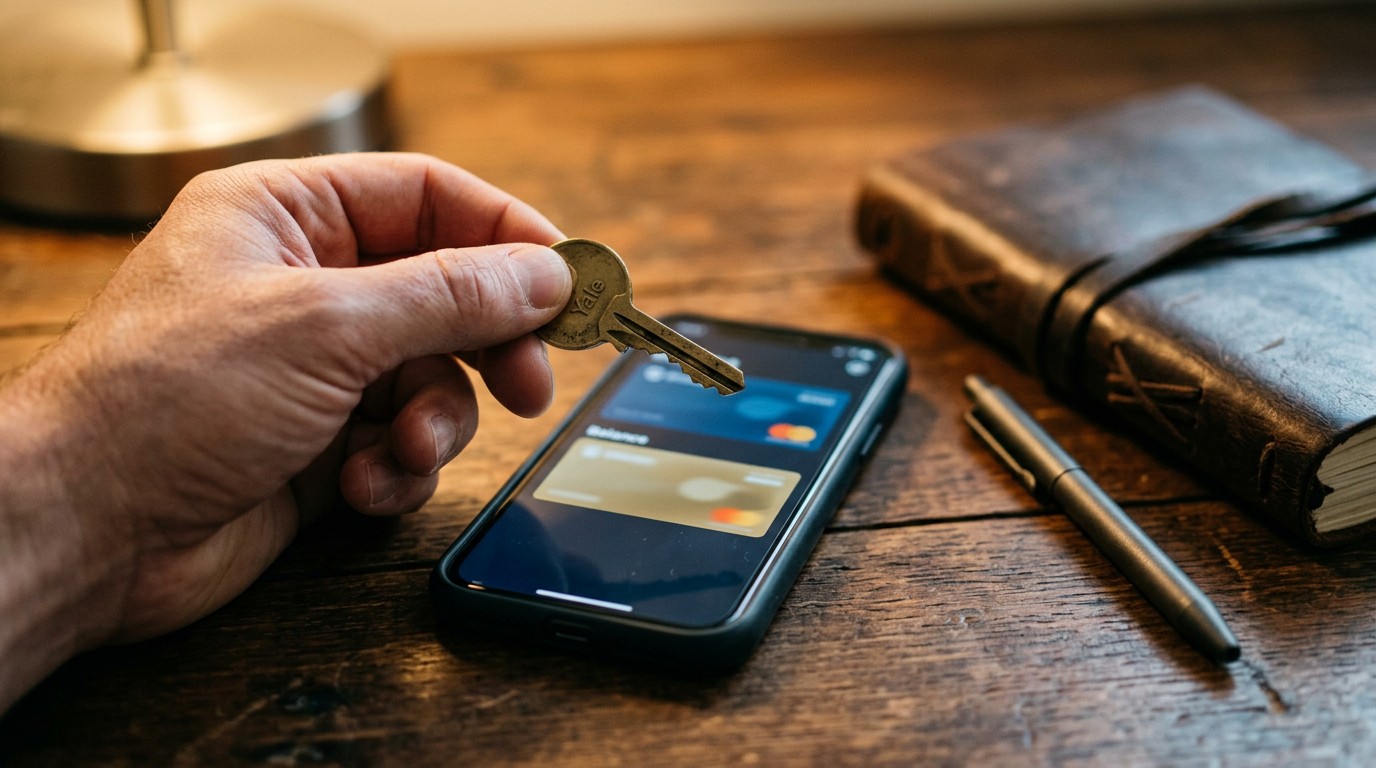
More than most users realise, because it is switched on by default. The cloud backup page says that from app version 2.57.0 on iOS and 6.36.3 on Android, signing up or logging in automatically backs up the wallet to your Apple iCloud or Google Drive account. Restoring on a new phone needs only the app and your PIN.
The vendor says the backup is encrypted and gives access to neither Apple, Google nor Blockchain.com. It also adds the sentence that matters: “As long as you keep your private wallet information and cloud account secure, only you can access your wallet and funds.” In practice that means the security of the DeFi Wallet now leans on two things the 12 words never needed: your cloud account and your PIN. You can opt out in the wallet settings, and the page then says to write the Recovery Phrase down. The recovery phrase article covers how.
Before you rely on the DeFi Wallet backup
Every item comes from Blockchain.com’s own support pages, read 13 October 2026. Tick the ones you have actually done.
General information from the vendor’s own pages, not advice. Blockchain.com says it never asks for your Recovery Phrase and does not call retail customers.
What happens to each balance if you lose your password?
The answers split along the same custody line. For the DeFi Wallet, the beginner’s guide says Blockchain.com “does not store passwords for Wallets” and cannot reset them. The phrase restores access. Lose the password and the phrase together, and the comparison page says “your funds cannot be recovered.”
For the custodial balances it works the other way round. The Trading Account backup page says the account is tied to your identity profile, so even with the password and the phrase both gone you can still recover your custodial funds through verification, while “the funds held in your Wallet will be lost.” So the custodial side is easier to recover and easier to restrict, for the same reason: somebody else holds the key. Neither is a flaw. It is what the two words mean, and the non custodial wallet guide sets out the trade in full.
What do people who use Blockchain.com report?
The Trustpilot page for blockchain.com, read on 13 October 2026, showed 6,937 reviews and a TrustScore of 2.7, with 69 per cent at one star and 14 per cent at five. The 22 reviews on the first page and two Reddit threads, with about 90 comments between them, were read for this section. This is testimony, not evidence: what people say happened, dated and linked so you can read it yourself.
The one star accounts share a shape, and it is the custodial one. On 29 September 2026 a reviewer described about 70,000 dollars held during an account review with no clear next step. On 6 October another reported a withdrawal pending for more than 45 days after sending the documents asked for. On 24 September a reviewer said an email change moved the account into a security review and restricted the custodial assets. In r/Bitcoin in September 2026 a poster said withdrawals of their bitcoin had been blocked for over two months; asked in the thread, they said it was “on the cex wallet”, the custodial side, and another commenter pointed out the DeFi Wallet was still reachable.
Against the pattern: two five star reviews on the first page describing no problems, and a commenter in an August 2026 thread who reported moving funds from a 2017 self custody wallet without trouble. That thread’s poster described 5,000 dollars stuck pending for three and a half months without saying which balance it sat in, and a reply asked exactly that. Several Trustpilot reviews were also about unsolicited phone calls rather than the product, which leads to the next section.

What security warnings has Blockchain.com published?
The most current one is about phone calls. The suspicious call page, last edited 1 October 2026, says plainly: “Blockchain.com does not call retail customers.” It describes a customer who was told their bitcoin was frozen, asked for a 365 dollar fee, then talked into sharing their recovery phrase and moving coins to a wallet the caller controlled. If anyone asks for your phrase, end the conversation. No legitimate company needs it.
The same page warns readers to be wary of anyone offering to recover lost funds for a fee, calling that “often a second scam.” Yet the help centre also carries a Wallet Access Recovery Service page, edited 15 July 2026, saying unnamed “partners may be able to assist” with lost passwords and backup seeds, charging only on success after identity checks. The page does not name the partners. The two pages are reconcilable only by who started the conversation, and this site will not point you at any service that asks for a seed phrase.
The older history is short but real. In December 2014 Cointelegraph reported that a white hat hacker returned bitcoins taken from Blockchain.info wallets, the company’s former name, after a flaw in how the web wallet generated random numbers exposed some addresses. The exact count of addresses affected could not be confirmed against a Blockchain.com advisory for this article. No 2026 security incident at Blockchain.com turned up in the searches made on 13 October 2026.
What does this mean for someone holding bitcoin?
Three facts, with no advice attached. Bitcoin in the DeFi Wallet sits under keys only you hold, backed by a 12 word phrase and, unless you opt out, an encrypted copy in your cloud account. Bitcoin in the Trading Account is a custodial balance held in shared addresses under section 4.1. And anything in the Rewards accounts has, under section 5.1.4, passed in title to Blockchain.com. The chooser below restates which balance is which, in the vendor’s own words. It never asks for a phrase, and no page ever should. For how the bigger exchange apps compare, see the exchange wallets guide.
Frequently asked questions
Is the Blockchain.com wallet the same as Blockchain.info?
Yes. Blockchain.info is the company’s former name and web address. The self custody wallet is now called the DeFi Wallet or simply Wallet inside the Blockchain.com app.
Can I export the private key for my Trading Account?
No. The private key help page says the Trading Account is custodial and Blockchain.com does not provide direct access to its private key. The non custodial Wallet lets you access and export its private key.
Does my Recovery Phrase restore my Trading Account?
No. Blockchain.com says the Trading Account and the Rewards accounts are not backed up by the Recovery Phrase. They are tied to your identity profile and recovered through verification.
Can I turn off the iCloud or Google Drive backup?
Yes. The cloud backup page says you can opt out in the wallet settings, and that if you do, you should write down your Recovery Phrase and store it securely.
Does Blockchain.com ever phone customers?
Not retail customers. Its support page says it does not call them, with an exception only for Wealth clients who have scheduled calls with dedicated agents.
Is the Blockchain.com wallet open source?
The beginner’s guide says the Wallet is open source and links to Blockchain.com’s code on GitHub. The custodial Trading Account runs on the company’s own systems.
Finished the page? The same five questions from the top, to see what stuck.
This article is educational and is not financial advice. Nothing here is a recommendation to buy, sell or hold anything. You are responsible for your own security decisions.
Leave a Reply